
Introduction
I have come across a few new smartphones this year and most of them are looking into having the aluminum finish type of material. But most of the smartphones with aluminum finish are targeting the mid-range users. Well, not really targeting the mid-rangers but that kind of finishing usually comes with a price. So we hardly have any entry level smartphones that comes with all metal finish a.k.a aluminum.
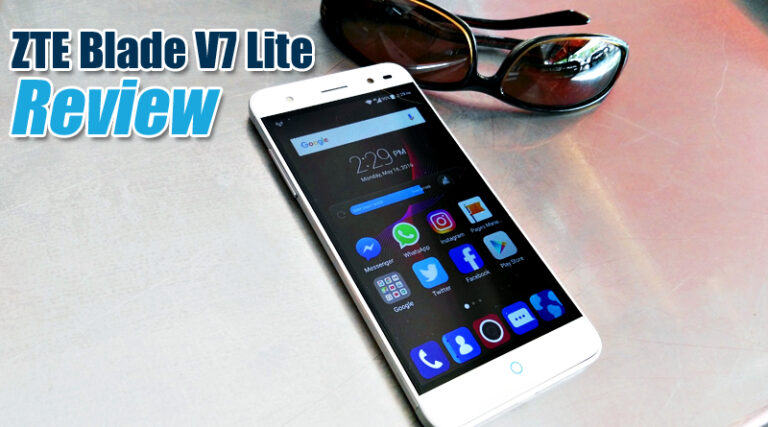
Now let me introduce to you the new kid in town by ZTE, an all metal body with Corning Gorilla Glass 3 screen that will make you go "oooooh" but won't leave your wallet empty.

The new ZTE Blade V7 Lite is the small brother of the Blade V7 Max (which is coming out this July) and is a joy to use...and it's good looking too. The all metal body feels a little bit slippery in my hand but because the width of the phone is slightly narrower than my personal phone, I'm able to wrap my fingers around it well. It is also very slim and light. Holding it the first time feels like holding something empty inside, like, I know I'm holding something but it's light...maybe it's empty inside...but it's not. But I'm not complaining.
Key Features
- Fingerprint sensor at the back
- Lightweight
- Slim and well designed
- Android 6.0 Marshmallow out-of-the-box
- Good "pro" function for the camera
- 2GB of RAM for an entry level phone
- All metal body
- Front facing camera comes with LED flash
The Blade series is focused on the entry level and mid-range smartphone. The AXON series is the flagship series by ZTE. But the Blade V7 series will bring more positive feedback from current and new users. I feel that the Blade V7 series deserve a little respect.
Before we go on to the look and feel of the phone, I would like to mention that I've been using the Blade V7 Lite for a whole week now, temporarily replacing my main phone the whole time. It never show any lags nor slowing down, it responded really well to all my keypress on the on-screen keyboard and never heats up after long usage such as game play or video streaming. Tabik spring bro.
Next: Look and Feel ->
Look and Feel
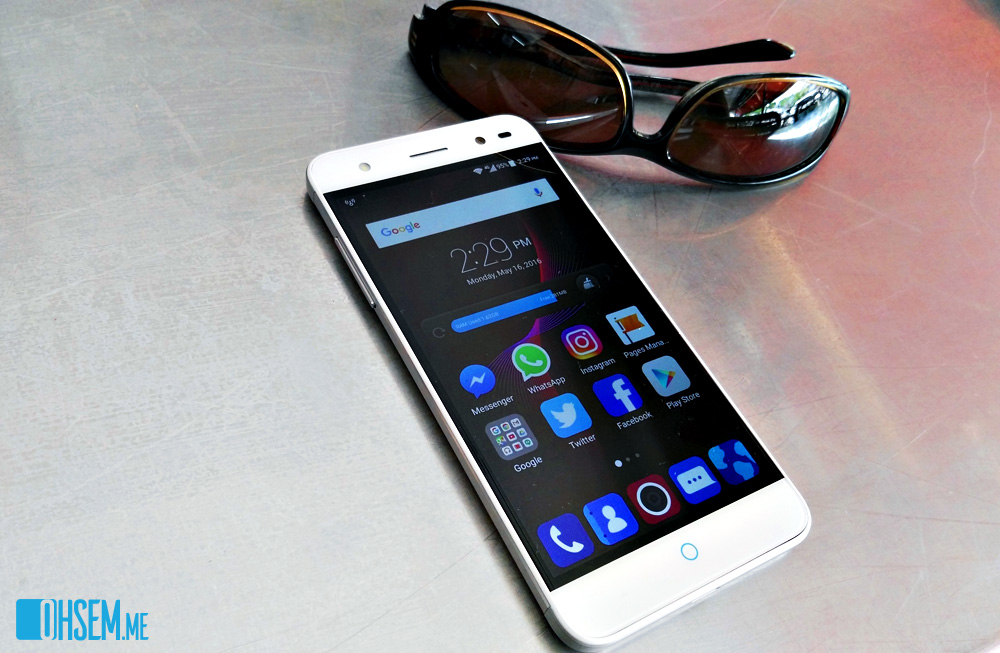
The simple design of the phone caught my attention. I don't like my phone to have too much stuffs going around on the outside. The Blade V7 Lite is just right for my taste.
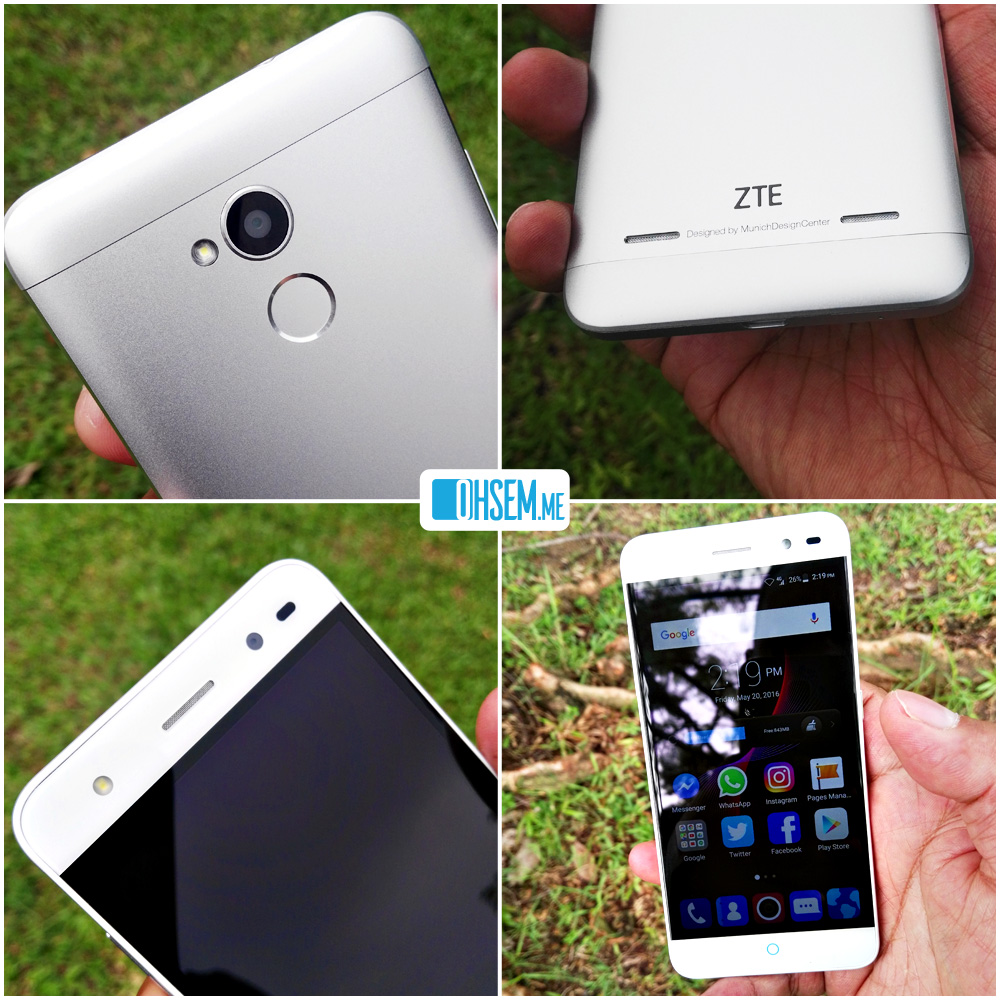
On the back of the phone lies the camera module and LED flash next to it located in the top half middle area. The round fingerprint sensor is just below the camera and LED flash. Most of the phones that comes with the fingerprint sensor usually have it at the back of the phone where the index finger can easily reach. Yes, for this phone, I use my index finger as my fingerprint encryption. iPhones have it in-front of the phone on the "Home" button itself and usually people would use the thumb instead. I honestly prefer it at the back. On the side note, the Blade V7 Max have it at the side of the phone.
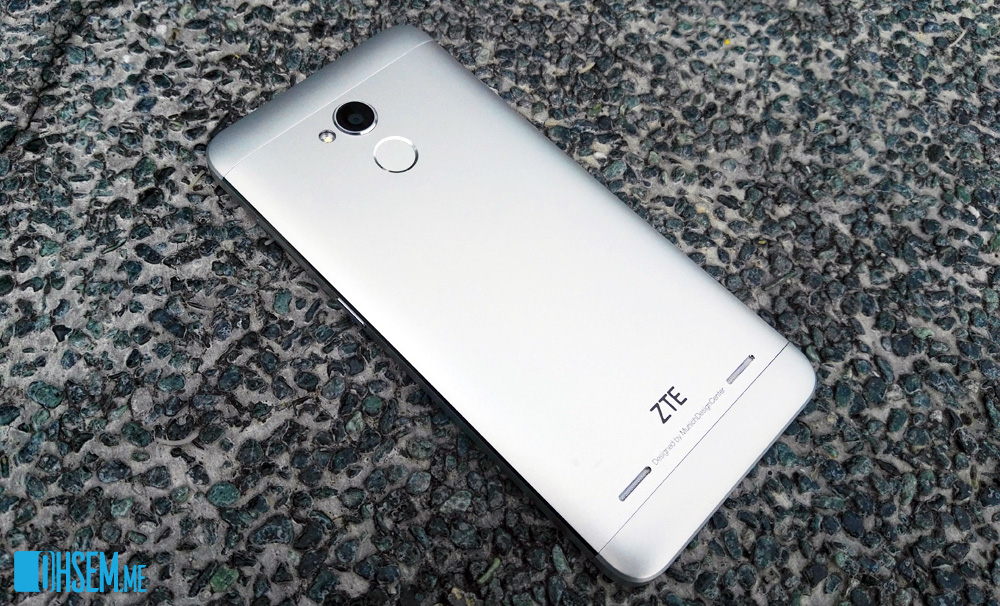
The speakers are also located at the back of the phone. There are two opening at the bottom area where the speakers located. But when you play an audio file or when the phone is ringing, only one side of the speaker is playing. So now I don't know whether ZTE purposely made it that way or the two speaker holes are just for show. On the other hand, the sound that comes out from it is loud and clear.
On the front of the phone, the capacitive home button, back button and menu button is located right at the bottom of the phone. It is very sensitive to touch. I don't really have to fully touch the home button to get a response. Even when I placed my finger close to it without touching can trigger the function. Sometimes that can be annoying. Imagine when I'm scrolling in my Facebook Timeline and suddenly my finger came in close proximity to the capacitive home button, it will really go "home"...to the home screen. It is THAT sensitive. Doesn't matter, it's forgivable. Maybe because I have big fingers.
At the top front right of the phone is the front facing 5-megapixel camera. As an added bonus, there's an LED flash on the top left of the phone. Great phone for selfie lovers who wish to take clearer self portraits in the dark.
|
|
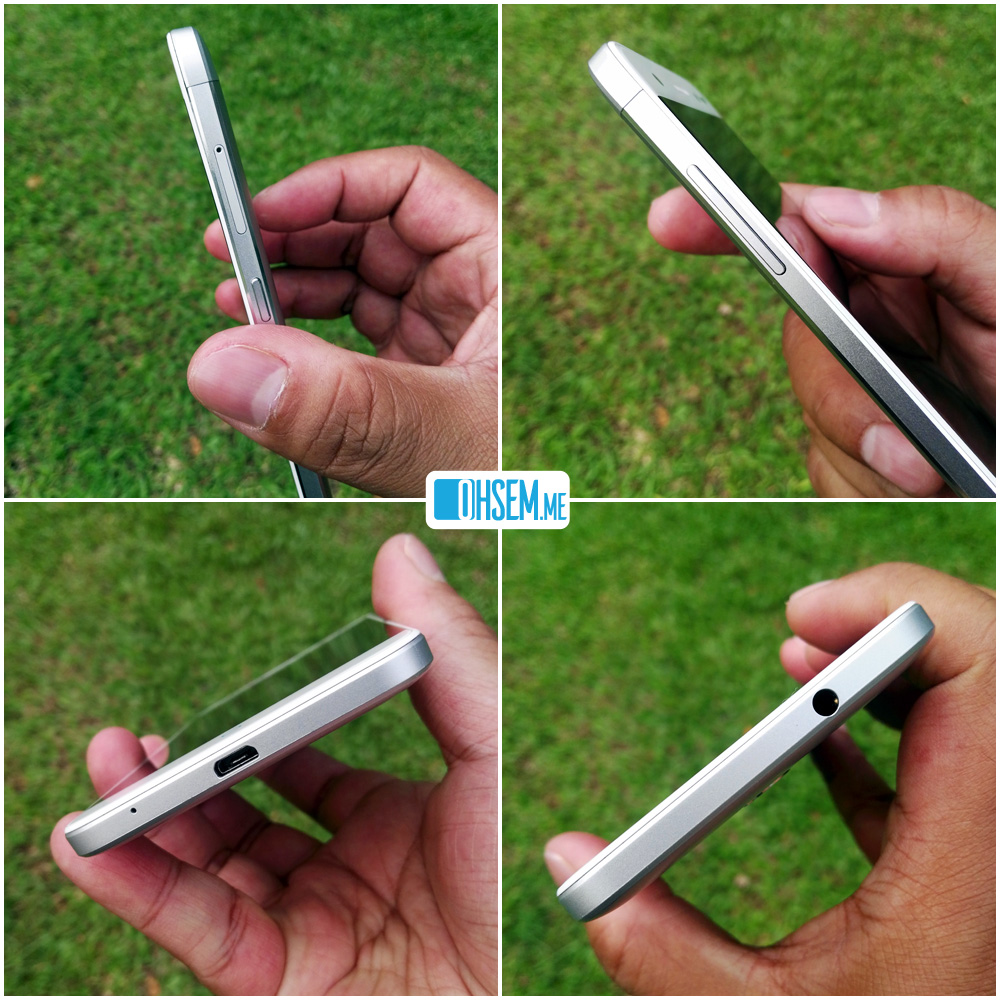
Pictures above are the overall look of the ZTE Blade V7 Lite external structure. It's clean and simple. Sometimes can be slippery but for me, it's okay. The thinness of the phone is a pleasure to hold. I usually keep my phone in my front pocket. With the ZTE Blade V7 Lite, I don't really feel the presence of this phone when it's in my pocket.
Next: Internal "Engine" and Performance ->
Internal "Engine" and Performance
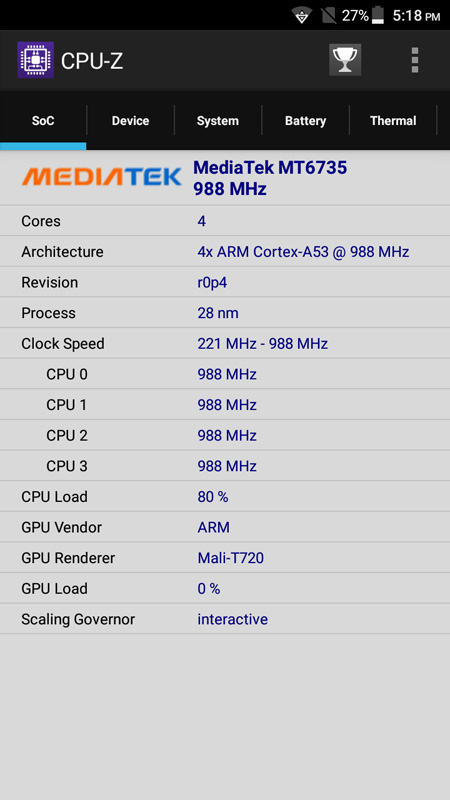
Now let's have a look at the performance of the ZTE Blade V7 Lite. First, here are the "engine" specifications:
- CPU: MediaTek MP6735P quad-core 1.0GHz processor
- GPU: Arm Mali-T720
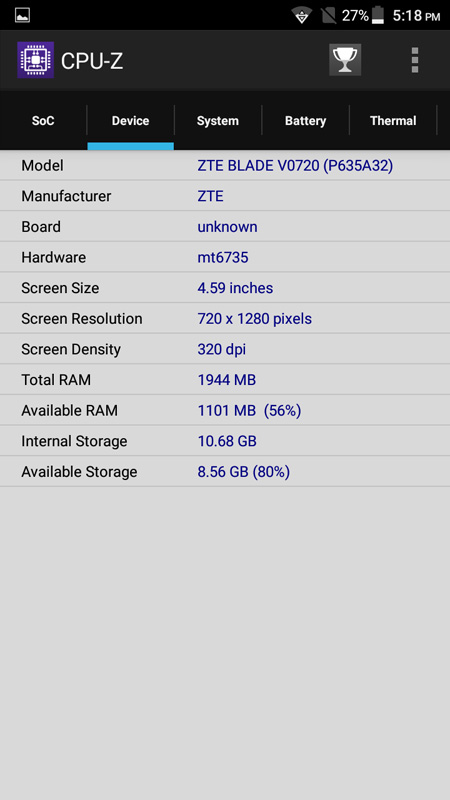
- Memory: Internal 16GB space with 2GB of RAM, expandable to 128GB MicroSD card
- Display: 5" IPS LCD Capacitive Touch Screen, 720 x 1280 resolution, 320 dpi.
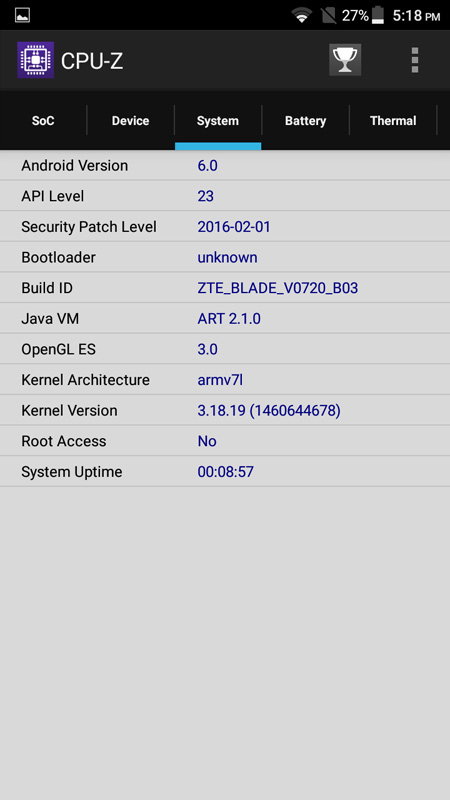
- OS: Android 6.0 Marshmallow
- Network: 4G LTE ready, dual SIM
Like I said earlier, I did not face any lag or problems with the phone when I'm playing any games or watching movies. I usually will face a slight lag when using any entry level smartphones. Maybe it's because of the 2GB of RAM on the inside. That helps a lot. I said it once and I'll say it again, Android phones nowadays should come with a minimum of 2GB of RAM.
I put the phone on a test using the latest Antutu Benchmark app. This is where I found the lag due to the extremely heavy 3D graphic rendering from the app. Of course, we have to push the phone to its limit in order to get the performance rating.
And here is the result:

3 years ago, this score will be at the top of the table. Now, it is right at the bottom. I'm not saying it's bad. It's an entry level smartphone anyway. At least it performs better than some other entry level smartphones that I've tested before this. Best of all, it doesn't heat up after long use.
Watching the ZTE Blade V7 Lite being tested, I noticed that the Antutu Benchmark graphic rendering was really heavy. It shows obvious lag and stutters. But if you're thinking of playing the "normal" games (normal here is something like CoC or Candy Crush), it should not be a problem at all. Only those heavy 3D graphics ones that lags. Fine.
|
|
|
Above are the full details of the ZTE Blade V7 Lite as seen on CPU-Z Android app.
In my opinion, the overall performance is exactly what you will expect from an entry level smartphone. But having said that, it's better than some other entry level smartphones. On normal use, no lags or whatsoever. Streaming movies, no problem too. In-fact, the movie playback quality is above average. HD videos are crisp and clear. Colours are not bad. So that's a plus point for it.
Next: Interface, Camera and Conclusion ->
Interface, Camera and Conclusion
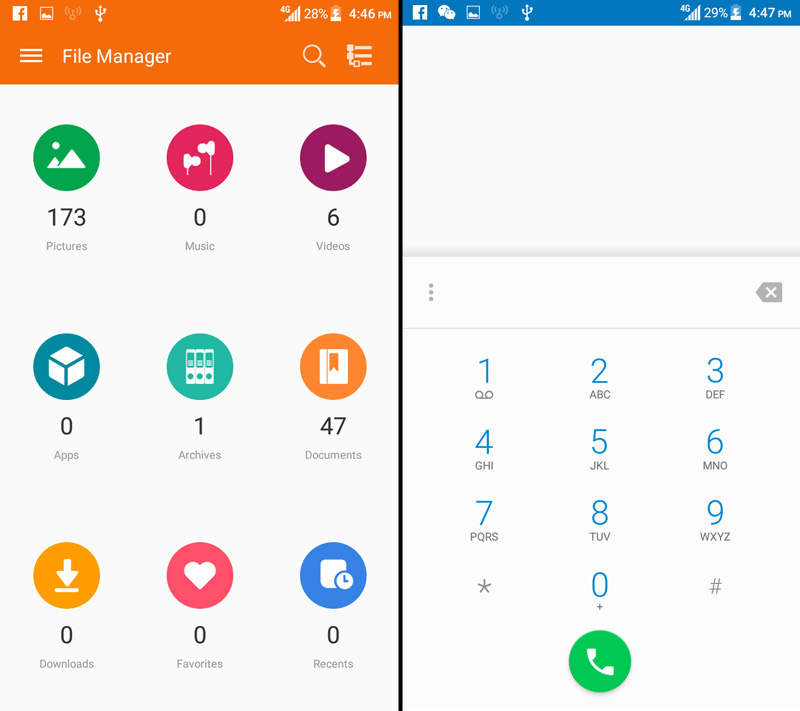
Now we have a look at the phone's interface. First of all, you won't get any app drawer in the ZTE Blade V7 Lite. This is something that Google is looking into, which is to remove the app drawer altogether, but it's still under KIV. Some of us find that having an app drawer is better, and some prefer without it - just to get that iOS feel.

|
|
Scrolling through the main screens is liquid smooth. Very responsive on touch. Even when you're having lots of apps opened and running in the background, it still performs well without signs of lagging. I'm pretty impressed by that. In this case, maybe it's due to the Android 6.0 OS managing the memory really well.
Camera Functions
Now for those who love taking photos. Meanwhile, here's a little bit about the camera hardware:
- Front: 13-megapixel autofocus with LED flash
- Back: 8-megapixel with LED flash
- Features: Geo-tagging, touch focus, face detection, HDR, panorama
- Video: 720p @ 30fps
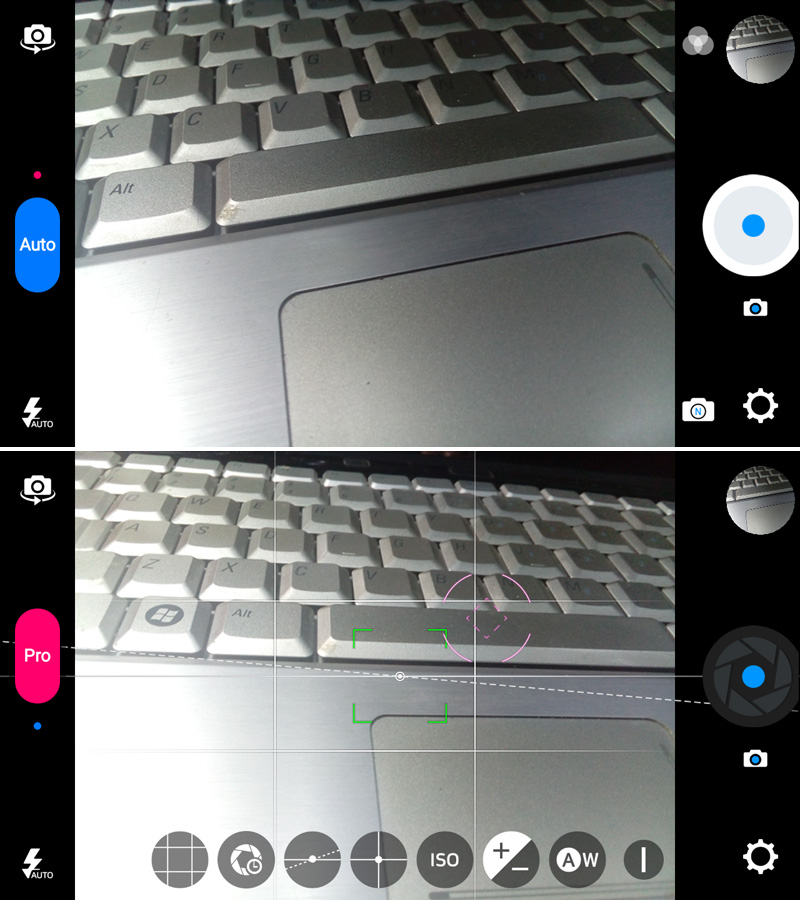
The camera has two types of functions, Auto and Pro. In Auto mode, the camera app will determine the best settings to take a photo depending on the environment. Too dark, ISO will be raised higher. Too bright, shutter speed will be faster. All will be done automatically. You get the idea.
|
|
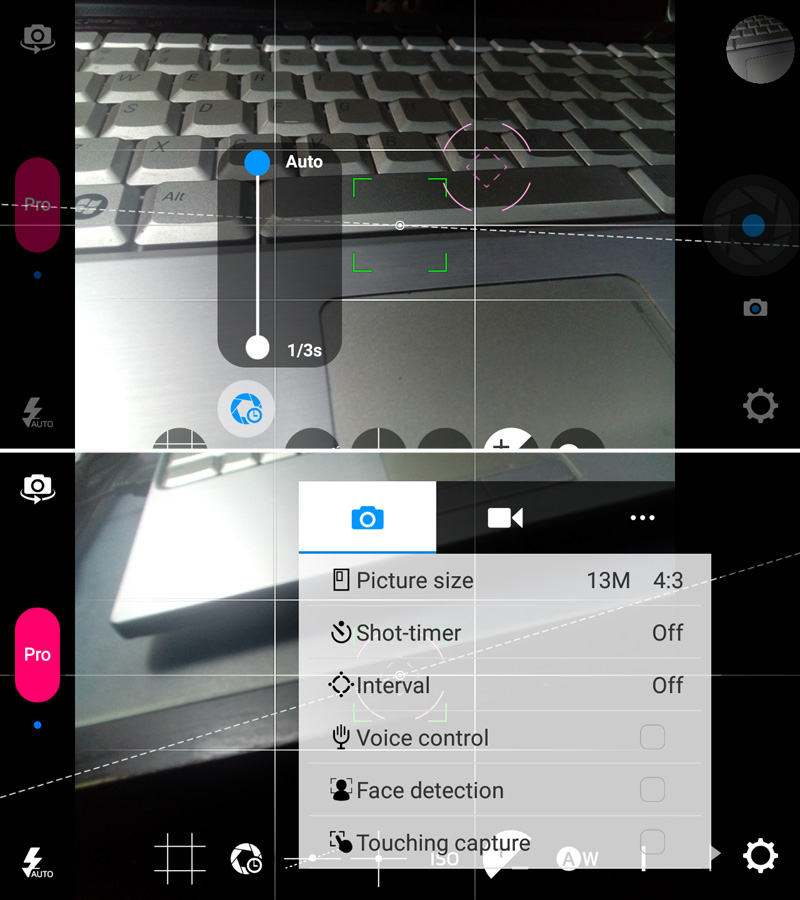
In Pro mode, it will still shoot automatically if you don't set anything manually. However, you can change any of the settings manually if you want to like setting the ISO, shutter speed, exposure, white balance and focus area. It also shows the horizontal line on screen. This can be disabled in the settings. What I like most is the ability to change the exposure area while staying on focus at a subject. This can be done by dragging the pink exposure sensor on the screen to any area to make it darker or brighter. Drag it to a dark area, it will increase the exposure. While dragging it to a bright area, will decrease the exposure.
Sample Photos
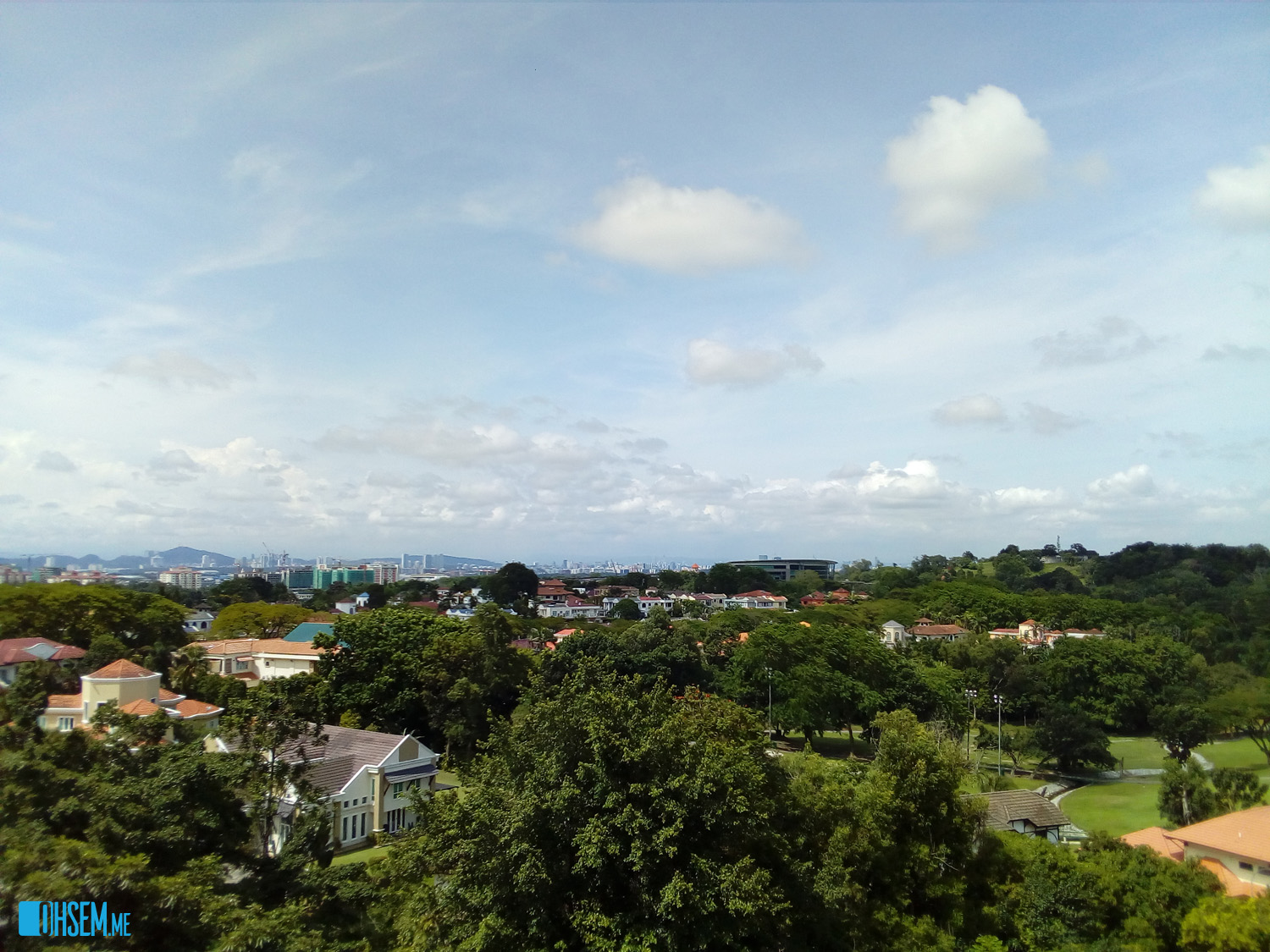
Here are some sample photos taken with the ZTE Blade V7 Lite:
|
|

|
|

|
As you can see, the colours are not that vibrant. It is a little bit washed out to me. The auto white balance couldn't get the colours right. I'm seeing a slight blueish tinge in the outcome. But it can still get the focus right when shooting close-up photos. Good detail in the close-up photos too.
Now, try and click on the outdoor landscape photo(s) to enlarge it. And then take a look at the 4 corners of the photo. You will notice the photo shows a slight blurry out-of-focus at the 4 corners, while being in full focus in the middle. I don't know why, but maybe it's the lens or the camera sensor. ZTE may need to check this one out to resolve the matter.
The front camera however is not bad. The LED flash in-front works well in the dark. It helps a lot if you want to take a selfie in a low-light restaurant or club. Photo details from the front camera is not bad. That's all I can say about the camera photo quality.
Conclusion
The ZTE Blade V7 Lite is a beautiful all-metal body slim phone that won't break your bank. The overall user experience is fluid and sharp. Playing normal games is good, but maybe you should skip the 3D heavy types.
4G LTE connection is also good. Downloading an app is fast. The reception is good even when I'm in a lower ground level of a shopping mall.
The handling is what I love most. I love the feel of the phone in my hand. It's slim and light. Sometimes I would even forget that I have a phone in my pocket.
The camera Pro mode is what I use all the time when I take any photos. I love to be able to customise the settings manually. And to change the settings is very quick and easy. The Auto mode is simpler. Just point and shoot. The photo quality however is a little bit washed out on the colours. But the noise level is quite low when shooting in dark areas.
In comparison with other entry level smartphones, the ZTE Blade V7 Lite performs better. Having 2GB of RAM helps a lot with the overall performance. The extra features like the fingerprint sensor placed this phone at a higher level than the others. Not many entry level phones comes with a fingerprint sensor you know.
So would the ZTE Blade V7 Lite worth your every penny? Yes...if you're looking for a cheap slim all-metal body phone with a fingerprint sensor. The price is also very competitive. You can purchase the ZTE Blade V7 Lite at ZTE Concept Kiosk in Low Yat Plaza for only RM669.
More details can be found at www.ztedevices.com.my

Leave a comment