
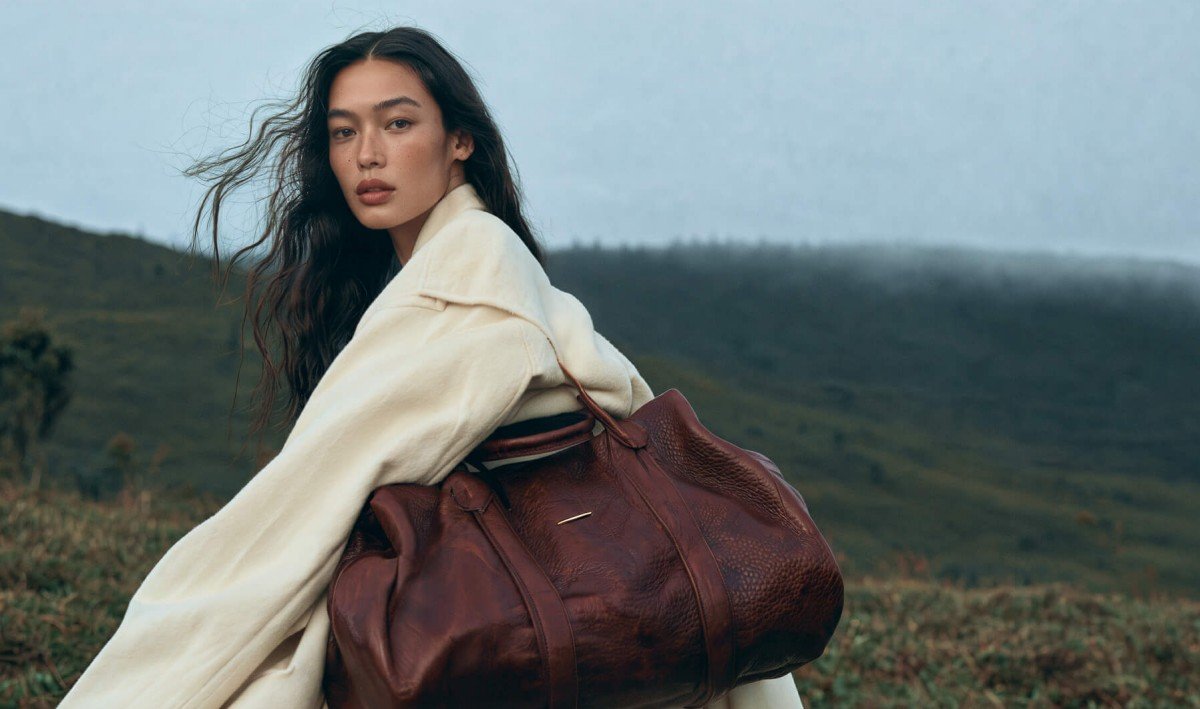
AI-generated images used to be easy to spot. Six-fingered hands, waxy skin, garbled text on signboards, and that strangely perfect, plastic look. Those days are fading fast.
The latest proof is Kling Image 4.0, the new image generation model from Kling AI, the creative AI platform best known for its video generator. Its big promise is photographic realism: images that look like they came straight out of a camera.
Photo-real, with more natural people
Kling says Image 4.0 produces images with soft lighting, lifelike textures and fine detail, capturing subtle facial expressions and placing subjects naturally into their surroundings.
It also tackles a common AI problem: crowds where everyone looks the same. In group shots, the model varies facial features, body types, ages and poses, so a scene feels more like a real gathering of different people.
Native 8K resolution
Kling claims Image 4.0 is the first in the industry to generate images at native 8K resolution. That means sharp detail in skin, fabric, products and landscapes, even when you zoom in or crop heavily.
For marketers, that opens doors for product photos, digital campaigns and even billboard-sized prints, where lower-resolution AI images would fall apart.
Text that actually reads properly
Getting AI to write clean text inside an image has always been a struggle. Image 4.0 can render up to 2,000 characters in a single image, staying legible even in small print on posters.
- 70+ built-in fonts, or upload a reference image to match a font style
- Edit text and fonts after the image is generated
- Supports English, Japanese, Korean, Spanish, Portuguese, Simplified Chinese and Traditional Chinese
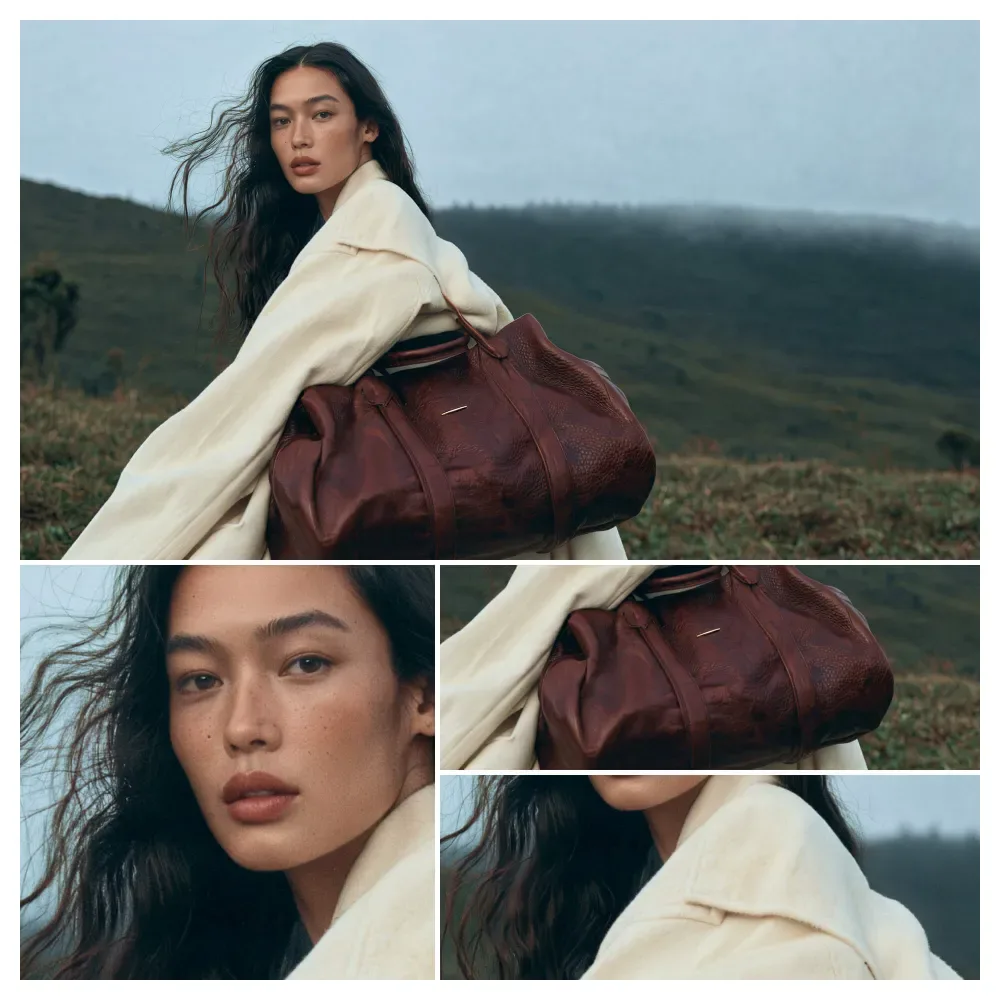
Up to 10 matching images from one prompt
This might be the most useful feature for working creators. From a single prompt, Image 4.0 can create a set of up to 10 related images that keep the same style and subject, while changing angles, framing and content.
Kling says it adapts to the job:
- Storyboards: plans shots and how the story flows
- E-commerce: shows products from different angles with key selling points
- Presentations: organises layouts and information across slides
It can even build long e-commerce product pages and brand website visuals, with text and images on separate layers for easier editing.
How it ranks
According to the Artificial Analysis image leaderboard, Kling Image 4.0 Preview holds a leading position in both text-to-image and image editing, and ranks third for UI and UX design tasks.
My take
For designers, marketers and small businesses, this is genuinely exciting. Being able to produce a full set of consistent product shots, a storyboard or a poster with clean text from one prompt could save hours of work and a lot of money.
But there’s another side to “looks like a real photo”. The more convincing AI images become, the easier they are to misuse, from fake product photos and misleading ads to scams and fake news images. A few thoughts:
- If you use AI images in your work, say so. Being upfront keeps your audience’s trust, especially for product photos and ads.
- Be more sceptical of what you see online. A perfect photo of a “too good to be true” deal or a shocking news event deserves a second look.
- Malaysian creators, note the language list. Bahasa Malaysia isn’t among the supported languages for text in images yet, so local-language posters may still need manual touch-ups.
Kling Image 4.0 follows the recent launch of Kling 4.0, the company’s latest video model. You can try both on Kling AI’s website.

Leave a comment