
If you bought a laptop with an AMD Ryzen AI chip in the last year or two, it came with a neural processing unit (NPU), a part of the chip built specifically for AI tasks. The trouble is, for many people that NPU has mostly sat idle, because few everyday apps actually use it.
AMD is trying to change that. It has teamed up with Unsloth to bring NPU support to Unsloth Desktop, making AMD’s XDNA 2 NPUs the first NPUs the app supports.
First, what is Unsloth Desktop?
Unsloth started as a popular tool for training and fine-tuning AI models faster. It was created by two brothers, Daniel and Michael Han.
Unsloth Desktop is its free, open-source app for running AI models on your own computer, similar to LM Studio or Ollama. You can chat with local AI models, generate images and audio, connect coding tools and even train your own models, all without sending your data to the cloud. It runs on Windows, Mac and Linux.
What’s new?
With this update, Unsloth Desktop can run AI models on the AMD Ryzen AI NPU instead of the CPU or graphics. It works through two other tools working behind the scenes:
- Lemonade: an open-source local AI server that AMD engineers help develop
- FastFlowLM (FLM): the engine that actually runs AI models on the NPU
You don’t need to set these up separately. Unsloth Desktop handles that for you.
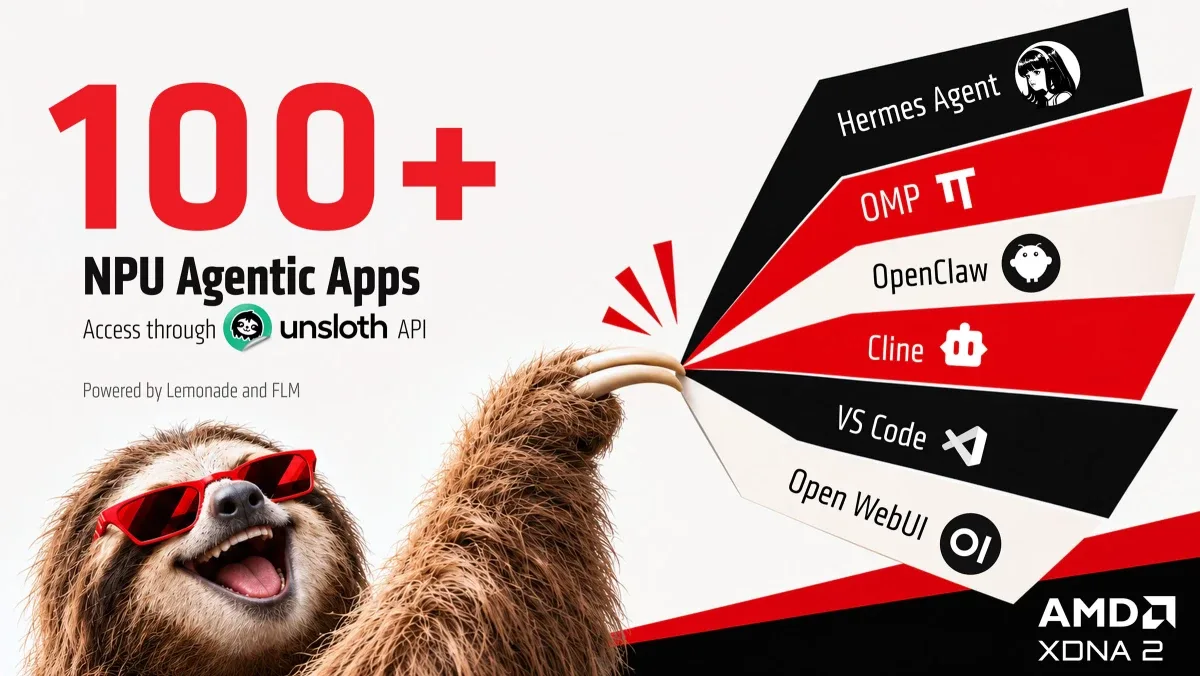
100+ AI agent apps on one NPU
The bigger story is what this unlocks. Unsloth Desktop offers an OpenAI-compatible API, which many AI apps already know how to talk to. That means more than 100 agent apps and workflows can now tap into your laptop’s NPU, including:
- Hermes Agent and OpenClaw for AI agents
- Open WebUI for a ChatGPT-style interface
- Cline and VS Code for coding help
Why use the NPU at all?
NPUs are designed to run AI efficiently, using much less power than the CPU or graphics chip. AMD says that brings two benefits:
- Better battery life when running AI on a laptop unplugged
- CPU and graphics stay free for your other apps, memory permitting
That makes the NPU a good fit for AI agents that run in the background all day, without draining your battery or slowing down your work.
Which AMD chips are supported?
You’ll need a processor with an XDNA 2 NPU. That includes:
| Family | Examples |
|---|---|
| Ryzen AI 300 series | Ryzen AI 9 HX 370, Ryzen AI 7 350 |
| Ryzen AI 400 series | Ryzen AI 9 HX 470 |
| Ryzen AI Max 300 series | Ryzen AI Max+ 395 |
| Ryzen Z2 Extreme | Gaming handhelds |
Older Ryzen chips with earlier NPUs aren’t supported.
How to set it up
- On a PC with an XDNA 2 NPU, download Unsloth Desktop for Windows and install it.
- Go to the Model Hub, tap the filter icon and select NPU.
- Click Enable NPU.
- Download an NPU model.
- Open New Chat, find the NPU section in the model list, load the model and start chatting.
If the download looks stuck, give it time. AMD says it isn’t.
How much memory do you need?
It depends on the model. AMD’s demo ran Qwen3.6 35B, a fairly large model, entirely on the NPU. But running it with its full context window needs around 28GB of memory for the NPU. Since Windows shares half your RAM by default, that means a PC with 64GB of RAM.
Most laptops have 16GB or 32GB, so you’ll want to start with smaller models.
Ohsem’s take
This is the kind of update that makes the “AI PC” label actually mean something. For a long time, the NPU in Ryzen AI laptops felt like a spec sheet feature with little real use outside a few Windows features. Plugging it into a popular, open-source app like Unsloth Desktop, and from there into more than 100 AI tools, gives it a real job.
We especially like the battery angle. Running a local AI assistant on the NPU while unplugged, without your fans spinning up, is exactly the kind of practical win people want from AI hardware.
It’s still early days, though. Setup is simple, but you’ll need to manage expectations on model size. If your laptop has 16GB of RAM, stick to smaller models and you’ll have a much better time.
For full details, see Unsloth’s AMD NPU guide and AMD’s announcement.

Leave a comment